How to get your Genshin Impact UID without opening the game
TL;DR
This method is useful if you can't launch the game, need your UID for a tool, or want to share it safely.
Safety Note
Step-by-Step Guide
Visit the Redemption Page
Go to the official gift redemption page: https://genshin.hoyoverse.com/en/gift.
Log in with your HoYoverse account if you aren't already.
Open Developer Tools
Open your browser's Developer Tools. You can usually do this by pressing F12 or by right-clicking anywhere on the page and selecting Inspect.
Once open, switch to the Network tab.
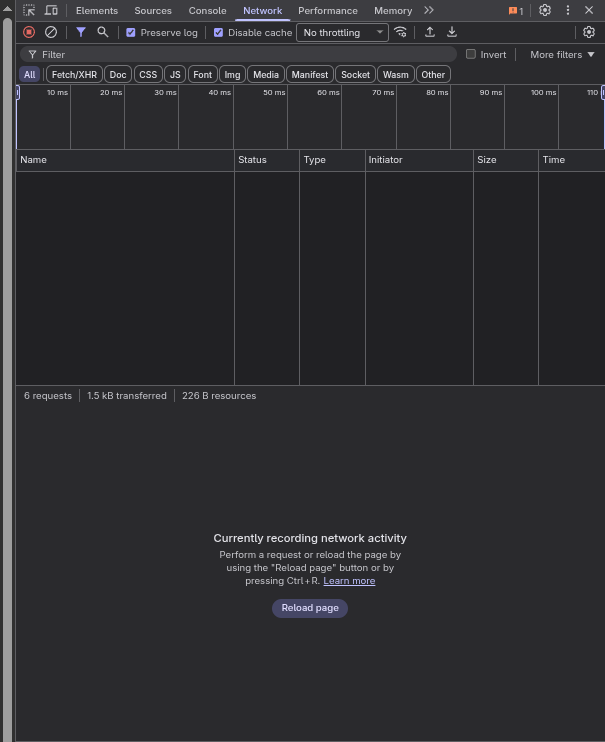
Trigger the Request
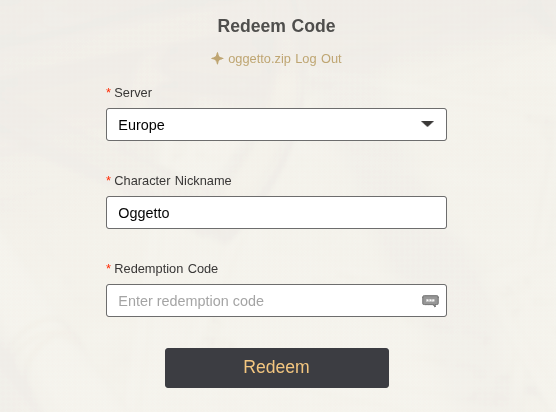
On the webpage form, click the Server dropdown and select your server (e.g., Europe, America, etc.). This action triggers a network request to fetch your character details for that server.
Find the Account Data
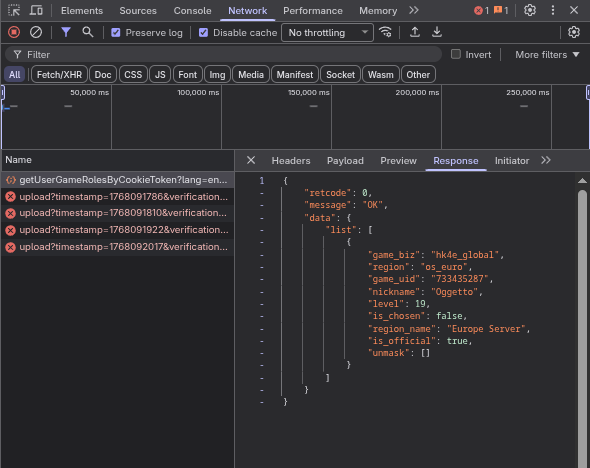
In the Network tab, look for a request named getUserGameRolesByCookieToken. It should be at the bottom of the list.
Click on it, and then select the Response tab in the details pane.
The Result
In the Response tab, you will see a JSON object containing your account details. Look for the game_uid field.
{
    "retcode": 0,
    "message": "OK",
    "data": {
        "list": [
            {
                "game_biz": "hk4e_global",
                "region": "os_euro",
                "game_uid": "733435287",
                "nickname": "Oggetto",
                "level": 19,
                "is_chosen": false,
                "region_name": "Europe Server",
                "is_official": true,
                "unmask": []
            }
        ]
    }
}
Found it?
Your UID is the game_uid value (e.g., 733435287).